


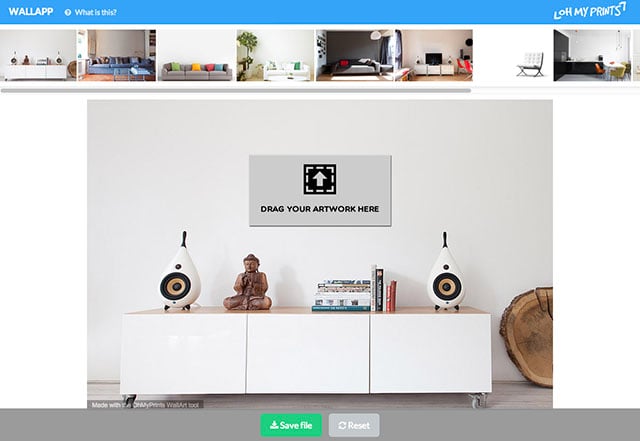
Want to see what one of your photos would look like as wall art in a living space? WallApp can show you. It’s a new browser-based tool that lets you see your photos in the context of a room without having to create a mockup yourself in Photoshop.
The service is extremely simple: all you need to do is drag a photo from your computer into the web app. Once the image is loaded up, you can resize it and choose which room photo to combine the image with.
After you’re satisfied with sizing and positioning, a “Save File†button allows you to download the mockup as a JPEG image. Here are a few examples we created with Ansel Adams’ “The Tetons and the Snake River“:


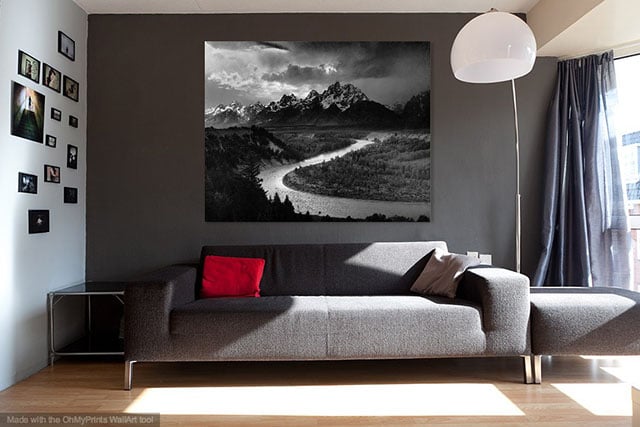
The resulting image does include a small watermark in the corner, but it’s a quick and easy way to put a preview photo in front of a client’s face.
 Started out doing photography at the age of 6 using an uncle's old 1940 kodak brownie box camera. At 15 years of age, I decided to buy my very own 1975 Praktica SLR camera. I now shoot with a Nikon D850. I do unpaid TFP and commercial paid work.